 ShadowMC
Commands written in a file
Open a file in commands/ and describe the command: aliases, usage line, automatic permission, nested subcommands.

Free with Premium
The commands your server needs and Minecraft does not have.
Included in Shadow Server - BASIC and in every tier above: with the subscription it stays active and updated for as long as it runs, on one server. See the tiers.
9.99 € Stable Gameplay and content
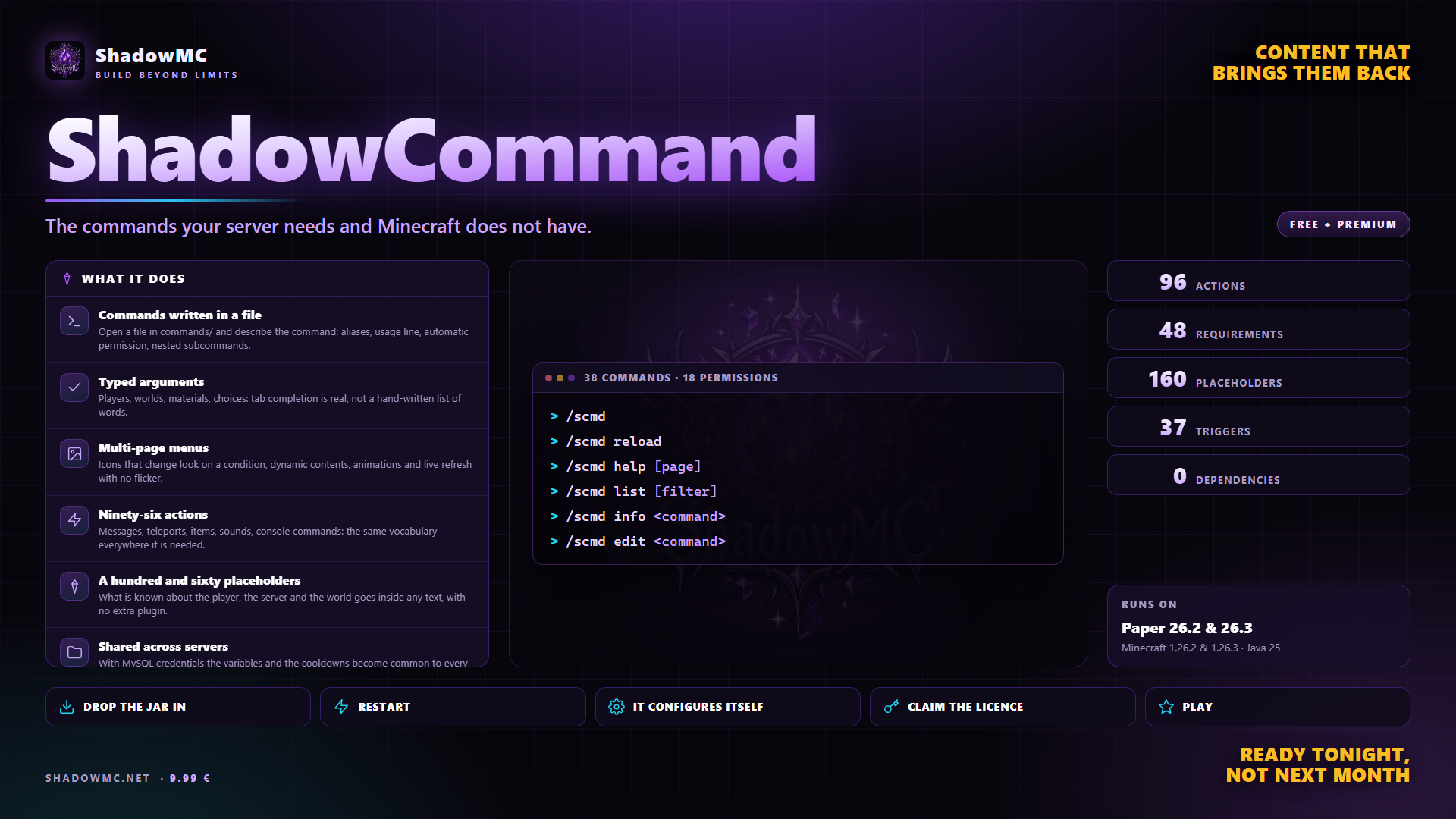
Open a file in commands/ and describe the command: aliases, usage line, automatic permission, nested subcommands.
Players, worlds, materials, choices: tab completion is real, not a hand-written list of words.
Icons that change look on a condition, dynamic contents, animations and live refresh with no flicker.
Messages, teleports, items, sounds, console commands: the same vocabulary everywhere it is needed.
What is known about the player, the server and the world goes inside any text, with no extra plugin.
With MySQL credentials the variables and the cooldowns become common to every server on the same network.
| Command | Description | Aliases | Permission |
|---|---|---|---|
| /scmd | ShadowCommand administration | /shadowcommand /sc /scommand | shadowcommand.admin |
| Command | What it does | Permission |
|---|---|---|
| /scmd | Opens the panel. | shadowcommand.admin |
| /scmd help [page] | The guide, in game. | shadowcommand.admin |
| /scmd reload [file] | Reloads everything, or one file only. | shadowcommand.reload |
| /scmd list [filter] | Lists the custom commands. | shadowcommand.admin |
| /scmd info <command> | One command in detail. | shadowcommand.admin |
| /scmd edit <command> | Opens the command editor. | shadowcommand.edit |
| /scmd new <name> | Creates a command from a template. | shadowcommand.edit |
| /scmd delete <command> | Deletes a command, with a confirmation. | shadowcommand.edit |
| /scmd toggle <command> | Switches a command on or off. | shadowcommand.edit |
| /scmd run <command> [args] | Runs the script on yourself. | shadowcommand.run |
| /scmd runas <player> <command> | Runs it on another player. | shadowcommand.runas |
| /scmd test <line> | Runs a single line, right now. | shadowcommand.run |
| /scmd debug <command> | Step by step execution, with the values. | shadowcommand.debug |
| /scmd parse <text> | Shows how the placeholders are resolved. | shadowcommand.debug |
| /scmd errors | Compilation and runtime errors. | shadowcommand.admin |
| /scmd stats [uses|time] | The leaderboard of uses and times. | shadowcommand.admin |
| /scmd menus | Lists the menus. | shadowcommand.admin |
| /scmd menu <name> [player] | Opens a menu. | shadowcommand.menu |
| /scmd triggers | Lists the triggers and the listeners that are on. | shadowcommand.admin |
| /scmd bind create <name> [click] | New bind, then click the block or the entity. | shadowcommand.bind |
| /scmd bind add <name> | One more block or entity on the same bind. | shadowcommand.bind |
| /scmd bind remove <name> [all] | Takes a target off by clicking it, or all of them. | shadowcommand.bind |
| /scmd bind cancel | Calls off the click that create, add or remove are waiting for. | shadowcommand.bind |
| /scmd bind item <name> | Binds the item in your hand. | shadowcommand.bind |
| /scmd bind run <name> <line> | Adds a line to the script of the bind. | shadowcommand.bind |
| /scmd bind set <name> <key> <value> | Click, cooldown, cost, uses, permission, protection. | shadowcommand.bind |
| /scmd bind info [name] | One bind in detail, or what a block carries. | shadowcommand.bind |
| /scmd bind list [page] | Lists the binds. | shadowcommand.bind |
| /scmd bind near [radius] | The binds around you. | shadowcommand.bind |
| /scmd bind tp <name> | Takes you to the bind. | shadowcommand.bind |
| /scmd bind show <name> | Lights up the blocks of the bind. | shadowcommand.bind |
| /scmd bind test <name> | Runs it as you, without its checks. | shadowcommand.bind |
| /scmd bind copy <name> <new> | The same bind under a new name. | shadowcommand.bind |
| /scmd bind toggle <name> | Switches a bind on or off. | shadowcommand.bind |
| /scmd bind reset <name> | Starts the use counters again. | shadowcommand.bind |
| /scmd bind delete <name> | Deletes a bind. | shadowcommand.bind |
| /scmd bind gui | The list of binds as a window. | shadowcommand.bind |
| /scmd schedules | Lists the schedules. | shadowcommand.admin |
| /scmd schedule run <name> | Runs a schedule right now. | shadowcommand.admin |
| /scmd vars [player] | Browses the variables. | shadowcommand.vars |
| /scmd vars set <player> <name> <value> | Sets a variable. | shadowcommand.vars.edit |
| /scmd vars del <player> <name> | Deletes a variable. | shadowcommand.vars.edit |
| /scmd cooldown clear <player> [key] | Clears the cooldowns. | shadowcommand.admin |
| /scmd actions [search] | The list of actions with their syntax. | shadowcommand.admin |
| /scmd requirements [search] | The list of requirements. | shadowcommand.admin |
| /scmd placeholders [search] | The list of placeholders. | shadowcommand.admin |
| /scmd import mycommand [folder] | Imports from MyCommand. | shadowcommand.import |
| /scmd export <command> | Prints the command as YAML. | shadowcommand.admin |
| /scmd suite | The state of the integrations. | shadowcommand.admin |
| /scmd lang [locale] | Changes your language. | shadowcommand.admin |
| /scmd version | Version and environment. | shadowcommand.admin |
| /scmd license | Version, limits and server fingerprint. | shadowcommand.admin.license |
| /scmd license claim <purchase-code> | Activates with the purchase code. | shadowcommand.admin.license |
| /scmd license activate <key> | Activates a key you already hold. | shadowcommand.admin.license |
| /scmd license refresh | Re-reads the key and checks again. | shadowcommand.admin.license |
| Command | What it does | Permission |
|---|---|---|
| /scmd reload | After every change to the files. It re-reads commands, languages, menus and triggers. Scripts already running finish on the old version, without breaking. | — |
| Node | What it grants | By default |
|---|---|---|
| shadowcommand.admin | Panel, listings and information | Operators |
| shadowcommand.reload | Reload the files | Operators |
| shadowcommand.edit | Create, edit and delete commands | Operators |
| shadowcommand.run | Run a script by hand | Operators |
| shadowcommand.runas | Run a script on another player | Operators |
| shadowcommand.debug | Step-by-step execution and placeholder inspection | Operators |
| shadowcommand.vars | See the variables | Operators |
| shadowcommand.vars.edit | Change the variables | Operators |
| shadowcommand.import | Import from MyCommand | Operators |
| shadowcommand.menu | Open a GUI by hand | Operators |
| shadowcommand.admin.license | See and activate the licence | Operators |
| shadowcommand.blocks | Run the actions that change blocks | Operators |
| shadowcommand.bind | Attach scripts to blocks, entities and items with /scmd bind | Operators |
| shadowcommand.bypass.cooldown | No wait between one use and the next | Nobody |
| shadowcommand.bypass.cost | Pay no costs | Nobody |
| shadowcommand.bypass.warmup | No warmup time | Nobody |
| shadowcommand.bypass.requirements | Skip the requirements | Nobody |
| shadowcommand.bypass.block | Use the commands blocked by overrides.yml | Nobody |
| shadowcommand.bypass.tab-complete | See every command in the tab list even when overrides.yml trims it | Operators |
| shadowcommand.* · 11 children | Every administrative permission | Operators |
There are no screenshots yet. When there are they show up here, and in the meantime saying so beats filling the space.
You describe a command in a file: aliases, usage line, automatic permission, nested subcommands, typed arguments with real tab completion. Ninety-six actions, 160 placeholders, menus that update live.
Ogni server ha bisogno di comandi che non esistono: /discord, /kit, /rules, un menu di teletrasporto, un annuncio ogni dieci minuti, un premio al primo accesso, un cancello che si apre.
15 commands of your own, 3 menus, 10 triggers and 5 schedules. Past that limit you need a licence.
ShadowCommand covers what you do today with MyCommand — in one jar, with no dependencies to install first.
plugins folder of your Paper server.license claim SG-XXXX-XXXX.None of these has to be installed, except the ones marked required: when it is there, ShadowCommand uses it; when it is missing, it works all the same.